Cinematic Super Devlog
Behind-the-scenes, including the script

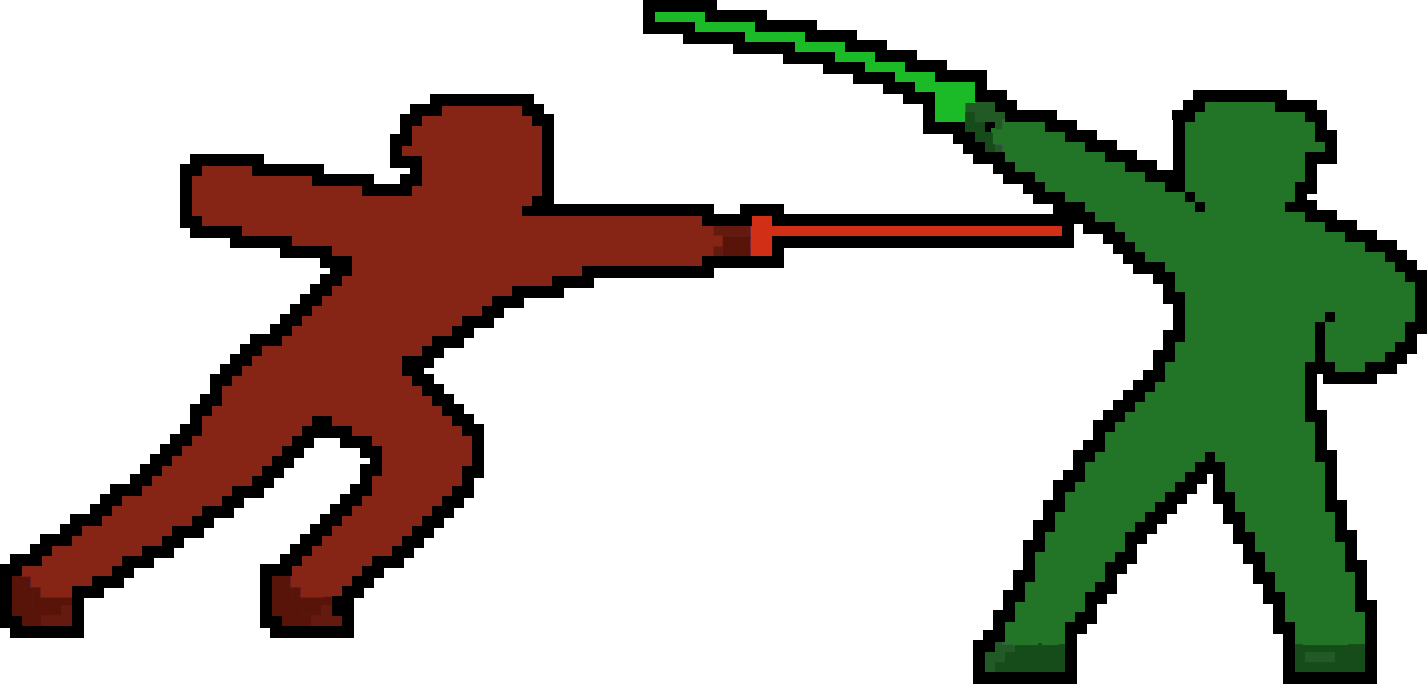
After writing a script, about 20% is deleted. Then, after recording voiceovers, about 30% is deleted. Trust me, videos are really trimmed down–the following script isn’t nearly as much as I wrote, and definitely nowhere close to how much work I put in.
The following is copied-and-pasted from the huge devlog text file. Italics designate things to edit/show on screen.
6925 words.
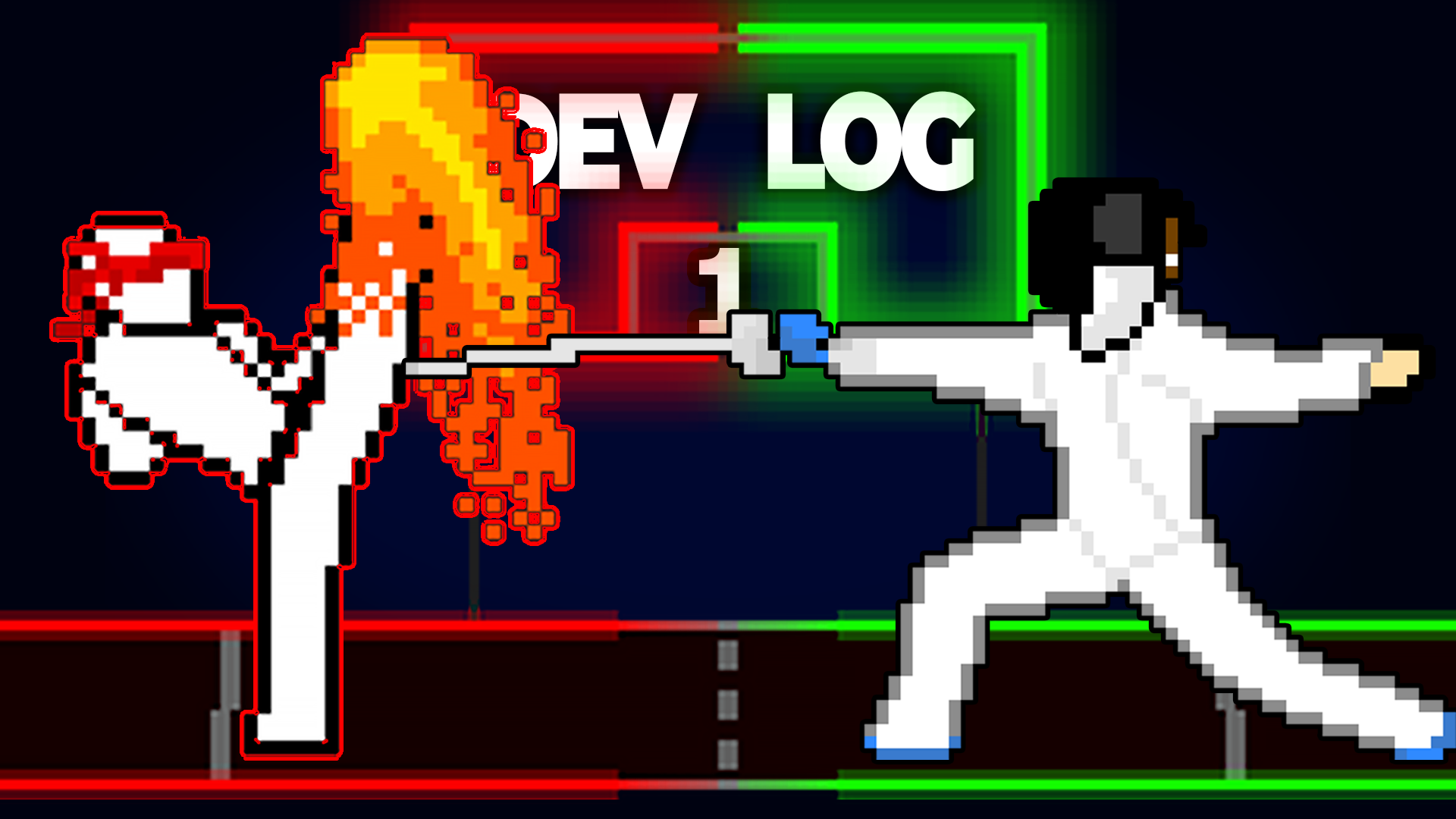
My first ever devlog finished right before it reached my work on the fencing character. If you’ve haven’t watched that, you probably should first. Just know that this is a traditional 2D fighting game that is based on a core fencing rule, Right of Way – which decides who gets the point on a double-touch. But what’s a fencing game without a fencing character? This video will cover the journey to create the first ever olympic fencer in a video game, and some other additions along the way. Sadly, I didn’t really make anything for Musashi – sorry all you Musashi fans.
Let’s pick up where we left off: Spring Break.
This is Fencing. This is a fighting game. This is also fencing, and this is also a fighting game. Believe it or not, the two are basically the same. What if I proved this to you by creating my own fighting game that integrates fencing mechanics, spawning an entirely unique 2D fighter? And, what if it was my first ever project in Godot, so I could simultaneously learn this newly popular game engine along the way? Throughout this video, the game developed far enough to be played by an entire group of people in a tournament. This is a 7 month journey to develop the best game of all time, Right of Way.
Here’s how the game works: it is a 2D fighter with the same general concepts found in fighting games and in fencing: distance control, whiff punishes, baiting, parrying, stage position, footsies, etc. However, unlike a typical 2D fighting game, it only takes 1 hit to win. There is no health bar. And, to make matters worse, there is no blocking. You cannot just hold back to stay alive. Because of this, each character’s unique moveset can be adapted to any playstyle, as long as it keeps you from getting hit. Some characters may even want to get hit – this is because of the game’s center mechanic: right of way. This mechanic, the namesake of the game, originates from an integral fencing rule. Right of way is a rule of priority. Basically, whoever has the final continuous action has priority. If you attack first and your opponent counterattacks, you have right-of-way because you initiated the action. If you are being attacked but parry their blade, their action finished because of your defense. Now you have right-of-way, so if you two were to get a double-touch, you get the point. Whoever has right-of-way gets the point on a double-touch.
With this rule applied to my game, even the core gameplay of a typical 2D fighter is changed. Not only do the players have to adhere to neutral, they have to adhere to priority. So, let’s begin at very beginning: November, 2023.
The game looked as you’d expect any new game to look: bad. But, unlike actual gamedevs, I had no experience. Other than several Roblox games I had made when I was younger, knowing Lua, Java, and Python, and previously spriting then coding a few custom weapons for my own Terraria mod… yep, no experience at all. Footsies, a barebones 2D fighting game that revels in its simplicity, was my inspiration for the first character: Guy. Yeah…. I dont have experience animating sprites.
Desperate times call for desperate measures. Guy’s embarrassing stanky leg called for a better walk animation. So, on the 25th, I launched Street Fighter 3 and screenshot 2 frames of Ryu’s walking animation. Five days later, because of an amazing reference, Guy was no longer doing hip rotations as he walked. And, he could do even more. In engineering class, I sneaked my phone past the phone box and took screenshots of the attack animations in Footsies. not copying, but taking inspiration! By the time I got home, I had a knee and “BigKick” attack. I was extremely proud of the knee animation, being a beginner. However, the big kick…
yeah. The line of the big leg, the big leg being 2x longer than the small leg, the character still leaning up straight, yeah… Not even a reference saved me on that.
But, the game was passable enough to advertise for my Python class’ gamejam competition. I was asked to stand in the halls and hand people a QR codes. My teacher only expected like 5 people to sign up, and I swear, if it wasn’t for my very beautiful game, we might’ve gotten less. Because of my exquisite animations, we got over 20 to fill out the Google Form. Infact, I had to run back to class for more QR codes, which we didn’t have because she didn’t expect Hour of Code to actually be popular.
Honestly, it felt good to see people so astonished at my ugly game. I spent more hours than I’d like to admit just learning Godot, so to have random people go crazy over two platforms and flying around with a big kick? I was motivated to set my sights big 7 months on one update… and work hard.
That’s why it took me 15 days to work on my game again. Yep, a recurring theme will be how little free time I had to work on my game. I made a background – a pretty cool shot of the sunset behind mountains. This was inspired by the ending to my Squid Games project I did in my aforementioned Python class. We were supposed to do a choose-your-own-adventure, and while everyone did boring stuff, show Erik tower and say he will show up later I made Squid Games. I made some wild stuff in my Python class using “Turtle Graphics”… Also, can’t forget the most important thing I did: the line was removed from the BigKick! Now the game is perfect… or, once there’s an enemy.
At school, I drew the second character: Musashi. It wasn’t until I got home that I realized how… thick he was.
It was fixed the next day – oh, you can’t even see the difference because I made him walk. Also, that walking animation is HORRIBLE. I know I was extremely new to spriting, and drawing a samurai is hard, but SERIOUSLY? The hakama moves wayyy too much. Anyways, I settled on a gray-black color scheme instead of blue for the kimono, which did away with the ugly lines on the bottom. Good riddance, those lines and the subsequent shading gave me hell during my APGov class. I spent an entire class trying to make it look passable, just to paint over it the next day. Annnnddd you can kill him.
It only took a day to fix the walking animation.
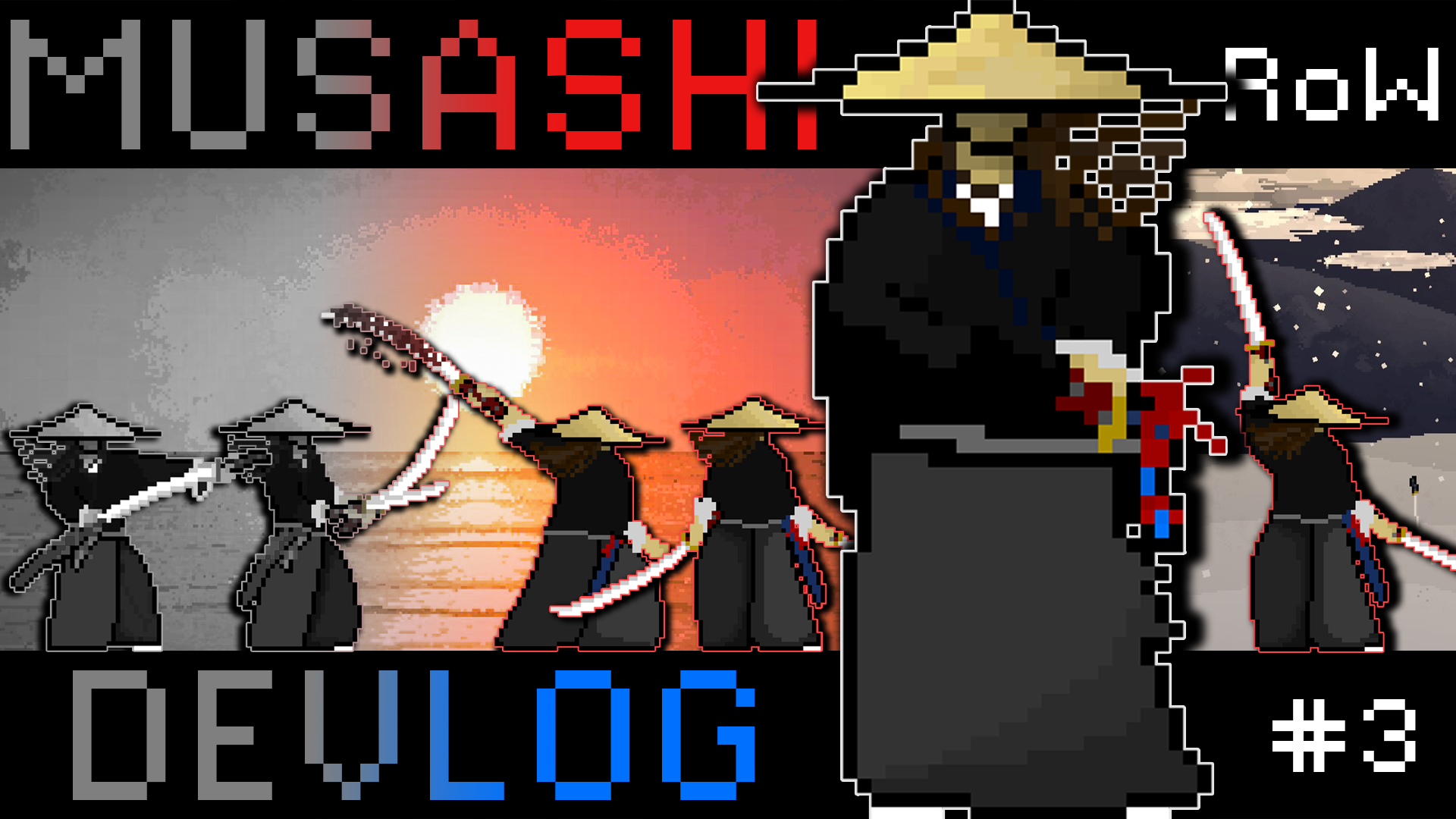
Then, it all turned around with Musashi’s unsheathe animation. This is where my spriting leaped in quality. Before I show all that, I need to go over something: who exactly is Musashi? People my age would know Musashi from the manga Vagabond. It follows the battles, friendships, rivalries, and growth of the ronin Miyamoto Musashi. His rival is Sasaki Kojiro, who will also be added to the game eventually. But, I don’t like Vagabond. I know Musashi as the main character of Musashi – the book. The book by Eiji Yoshikawa, which was shamelessly copied by the mangaka of Vagabond. Also from Musashi – the movies. Oh, also because Miyamoto Musashi was a real person. Yeah. The founder of his infamous two-sword-style, Niten Ichi-ryu. He’s kinda cool. show book of 5 rings You see, I don’t only fence. In fact, before fencing, I did HEMA – Historical European Martial Arts, which focuses on, well, the history of how people use to do martial arts: hitting eachother with metal. Pair that with a fondness of Japanese history show Classical Bujutsu & Classical Man, it’s obvious why I added Musashi.
New year, new animation. I finished a slashing animation, which can only be done after Musashi’s unsheathe. That ties the why of Musashi to the how. how he works Musashi is a stance character. He is practically defenseless while both of his swords are sheathed, but can unsheathe either one–or both–to unlock moves. Technically, his unsheathing moves are rekkas. A rekka is a fighting game term originating from Street Fighter 2 rekkaken, Fei Long referring to special attacks that open up paths to further moves. By inputting one move, you can choose from, say, 5 more. For example, in Guilty Gear Strive, Elphelt has an obnoxious rekka in which she does a starter attack and, from it, can attack high, attack low, end the rekka, or do the starter again to continue the loop. In Musashi’s case, he begins with the unsheathe and, from it, can do a forward-moving slash attack. that’s it. So far. Maybe unsheathing isn’t always the best choice. So, what else can he do?
as I’m talking, show how he was given his own states & hitstun was added
Outside of unsheathing, he can do the Zatoichi flash cut. show movie clip This move is scary. Even half a year later after nerfs, it still dominates. spoil a lil bit by showing tierlist but censor most of everything else
I rescaled all of Guy’s sprites because, for some reason, I was drawing him with 3x3 size pixels in a 1x1 format. While I was at it, I gave him a black belt. I was going to make it a yellow belt to play into the joke of him being some random Guy from off the street, but it looked ugly. Honestly, I don’t want to do that gag anymore. It’s too far gone to rename all his files from something that’s not Guy, but in game I might label him as something else. I was thinking Sho from Shoryuken, the infamous dragon punch uppercut. Ryu and Ken get their names from it, so why not page homage by also naming- interrupted by parry
woah. I recognize that noise… mind travels throughout time and space to Mr. Biology SF3. Cuts to staring at screen, dead silent. buzzing gets louder as cuts to Fightcade That was a parry (sound effect not included). Press the parry button just in time and all moves pass through you. No blocking in this game – you can’t just hold back and not get hit while fencing. You must be ready to parry and maintain distance at all times.
I would elaborate, but guess what? A week later, I went to a fencing tournament. Sorry to break it to you guys, but I’m a dirty french grip user. I know. Sorry, pistol grip users. french grip users are hated for having more reach although they suck at parring I won just about half of my pool bouts, then one Direct Elimination bout before I got stomped by someone who’s been fencing longer than I’ve been alive. Fun.
Anyways, back to the topic of parrying. If you land a successful parry, you can do a riposte – in this case, a right hook. Or… you can fleche. Sometimes fencers just want to run at eachother. It’s kinda fun. When you see the opponent leaning forward too much on their front foot, slightly springing their leg, you know you can’t move in too close nor let them parry your blade. Because, once you do… fleche montage… flunge, music stops Ignore that last one, saber fencers are super cool and because everyone is super jealous of how cool they are, they’re not allowed to cross their legs. Instead, they flunge. montage again for a split second, interrupted: That all comes later with the actual fencing character. Right now, Guy can fleche, Musashi cannot. Well, Guy’s fleche isn’t much of a fleche, moreso just him running. Strangely, the faster he runs, the slower he moves. Anyways, land the parry in the first 3 frames of inputting it, and you get a perfect parry, which freezes the opponent. Miss the parry, and you have a few frames of endlag – time in which you cannot input anything. The goal is to make the perfect parry extremely satisfying to land, just like parrying in Street Fighter 3. Next, I created a stage to fight on, so the game could finally look like a typical 2D fighter. Expanding the background was fun, but you can tell I got lazy with the mountains. To get to this stage, I added a button for switching between the platformer world and the new scen- crash
dramatic pause
It took 2 days to fix. 2. days. I still remember how I went insane, finally fixed it, went insane again because I fixed it, then immediately left to eat dinner. I still remember because I was genuinely frightened that I had lost all my progress. I still remember the burrito I ate as I looked back on that wasted weekend. It had chorizo, shredded cheese, salsa fresca, and lettuce. You’d remember that burrito you ate, too, if the project you spent months working on was reduced to error messages on startup.
Truthfully, I wouldn’t have lost everything. I had backups on GitHub from when I transferred the files between my desktop and laptop. Still, I would’ve lost all the painstaking, overly-nested parrying code and the animation. Plus, I couldn’t even open the editor, so I couldn’t debug anything!
Here’s what happened: the platforming stage referenced the game stage within its transitioner, while the game stage referenced the platforming stage within its transitioner. If you’re wondering why that’s a problem, I am too. If you have no idea what I’ve been talking about, I am too. Basically, I accidentally created a “cyclic dependency” – without knowing what a “cyclic dependency” even was. Because the first scene referred to the second, and the second referred to the first, both need to exist simultaneously. If one isn’t loaded in the very instant the other one is, the loaded one ceases to exist. Then, the other scene also ceases to exist. Finally, Godot ceases to exist. This was me when I fixed it. holy guacamole
Instead of storing a packed version of the other scene in its corresponding scene, I stored Strings containing the file directory of the scenes. Only when the user switched stages were the Strings converted to actual scenes. No more crashing as they tried to load not-yet-existing scenes, and technically no more storing scenes circularly. That wasn’t all. At first, when I tried that, it still didn’t work. Apparently, I had to delete the ID’s of the scenes in the history of the transitioner – the middleman node that just played a little animation and switched to a given scene.
Keep in mind that I was as clueless as you are right now, locked out of Godot, working in the Windows Text Editor, and going off of useless error messages. Everyday I wake up and thank the heroes on coding forums and in YouTube videos for guiding my lost soul towards the solution. No burrito will ever taste better than that burrito.
Anyways, now there’s a new stage and a slider to control the parry freeze duration!
In this stage, just like in fencing, if you reach the end of your side, the opponent gets a point.
March 8th. You can now fight Musashi without controlling him. Finally, you can fight the computer. All because I coded an artificial intelligence to control Musashi. ai montage, RoW stock goes up a million percent cause I said ai Uhhh… not really. The body of the code is actually just loads of nested conditionals. The never-nesters must hate me, but I was genuinely clueless on how to make a fighting game opponent AI – AI being used loosely, here. Bored in APGov, I came up with a plan. Each possible action that could be taken by Guy would be stored in a dictionary – a list with a number value per move. Everytime the Guy player successfully inputs a move, a signal is fired then recieved by the AI node. The corresponding move in the dictionary increases in value to represent how often that move is used. Over time, these values decrease. Therefore, the AI can assume what the player is likely to do, then make decisions accordingly. For example, what if Guy’s distance from Musashi is below 40 units and the former has a high WalkForward value with a low WalkBackward value? Ok, so they’re unlikely to bait an attack by walking backwards out of range. Perfect, go ahead and do a slash, or a zatoichi flash cut if you aren’t alread y unsheathed. zatoichi gets parried Oh. We forgot to account for the parry value.
You can see why there are so many if-statements. But, it works. The dictionary is reset after every touch, previous actions are stored for when the opponent spams, and a whole lot of sloppy code is behind the scenes.
I added a new move for Musashi, available during his unsheathe rekka. It is a retreating overhead slash, contrasting with his forward-advancing slash. This gives the Musashi player an actual reason to unsheathe now, as they can finally move around and intimidate the opponent with a bait into punish. However, the move is not finished. Honestly, I was sleepy in class like always and only made half of it before officially crashing out. You know what is else is not finished? Musashi’s parry. Actually, it was never started. I just sped up his unsheathe animation and copied over Guy’s parrying code. It looks uncanny but that’s just another problem for later!
April Fools: Spring Break began. I swore to finish as much as possible during Spring Break – I even believed I’d begin work on this video! how innocent of me Remember how I said that drawing Musashi’s unsheathe animation was when it all turned around? Well, that was just when I actually figured out how to draw pixels on a canvas and how to use Godot without a million tabs. No, no. Spring Break began, and this was truly was when it all turned around. Not only did I vastly, greatly improve Guy’s big kick animation, I also drew a beautiful, seamless Axe Kick animation. The way he rotates his hips to return to the idle animation, the arms knowing where to be, the belt bending, the headband meticulously moving mutualistically, the proportions … proportioning, it all is so beautiful. Maybe because I used Street Fighter 3 as a reference… akuma
The goal with this move is to help Guy players counter parrying. Musashi, in his rekka, can bait by controlling his distance, and the soon-to-be fencer has footwork and different lines to keep his blade in. Now, Guy has a fast 2-hitting attack forcing the opponent to parry twice, or else they take a heel to the face.
Proud of my work, I called a friend to playtest and, really, to show off my progress.
This game-breaking bug continued to haunt me all throughout Spring Break.
With high hopes that my productivity would skyrocket without annoying incessant homework, I finally began creating the fencer. Being a fencer, I could use myself as a reference! The first challenge was the mask. I looked for fencing pixel art online but, to nobody’s surprise, there was none. But, I’m proud of what I came up with. Unfortunately, in my reference video, I was being rushed by my coach and the 10 people watching me being recorded walking back and forth. So, my form sucked and I had to re-record myself later for the animations.
The 2 fencers watching this may be wondering: why did I draw an epeeist, not a foilist? Isn’t the game literally called Right of Way? Epee is the only type of fencing that doesn’t have right of way! That is a valid complaint. Before I answer, here’s context for the rest of you. Fencing has three forms, based on the chosen blade.
The epee is the heaviest blade and while fencing with it, everything is target. You can get hit on the toe and the opponent gets a point, no complaints. The foil is the lightest blade with a practically nonexistent guard. But, that’s fine, because while fencing with it, only the torso is target. The sabre is the coolest blade and while fencing with it, the upper body is target and you run Mach 10 at the opponent.
There’s something crucial I left out: right-of-way. In epee fencing, you don’t worry about that – to epeeists, right of way is just a myth perpetuated by Big HEMA in a desperate attempt to make fencing, a sport, realistic. With real blades, you wouldn’t be throwing yourself at the opponent to at least score a double touch – a real strategy in epee. So, right of way is rule of priority, in which whoever has said priority scores the point on a double touch. This encourages the disadvantaged fencer to actually be cautious and avoid getting stabbed.
Ironically, sabre fencers have right of way yet try their best to get stabbed. Then, they scream as if they got stabbed. Every single time.
Therefore, knowing all that, the reason I chose to make an epeeist first was because their entire body is target and I don’t have to animating entirely separate sprites based on whether you have right-of-way or not. Also, I don’t fence foil. I really want to fence sabre, but it’s the only form that my club does not offer. Because I am experienced in epee, I feel most confident making an epee character. Maybe if this video does well, I’ll try out foil for the first time ever so I can add a foilist to my game.
in-clip talk about animating
Next, a lunge animation. I used the aforementioned video of myself as my reference, and it worked surprisingly well. All left was to copy the frames over to the sheet.
Finally, what was long overdue: a main menu. Sadly, it was an ugly main menu… Then, a character select screen so that you wouldn’t fight Musashi and Epeeist at the same time! You see the white screens on both sides? Those will display something of the character’s personality because I honestly have no idea how to make a cool looking character select screen.
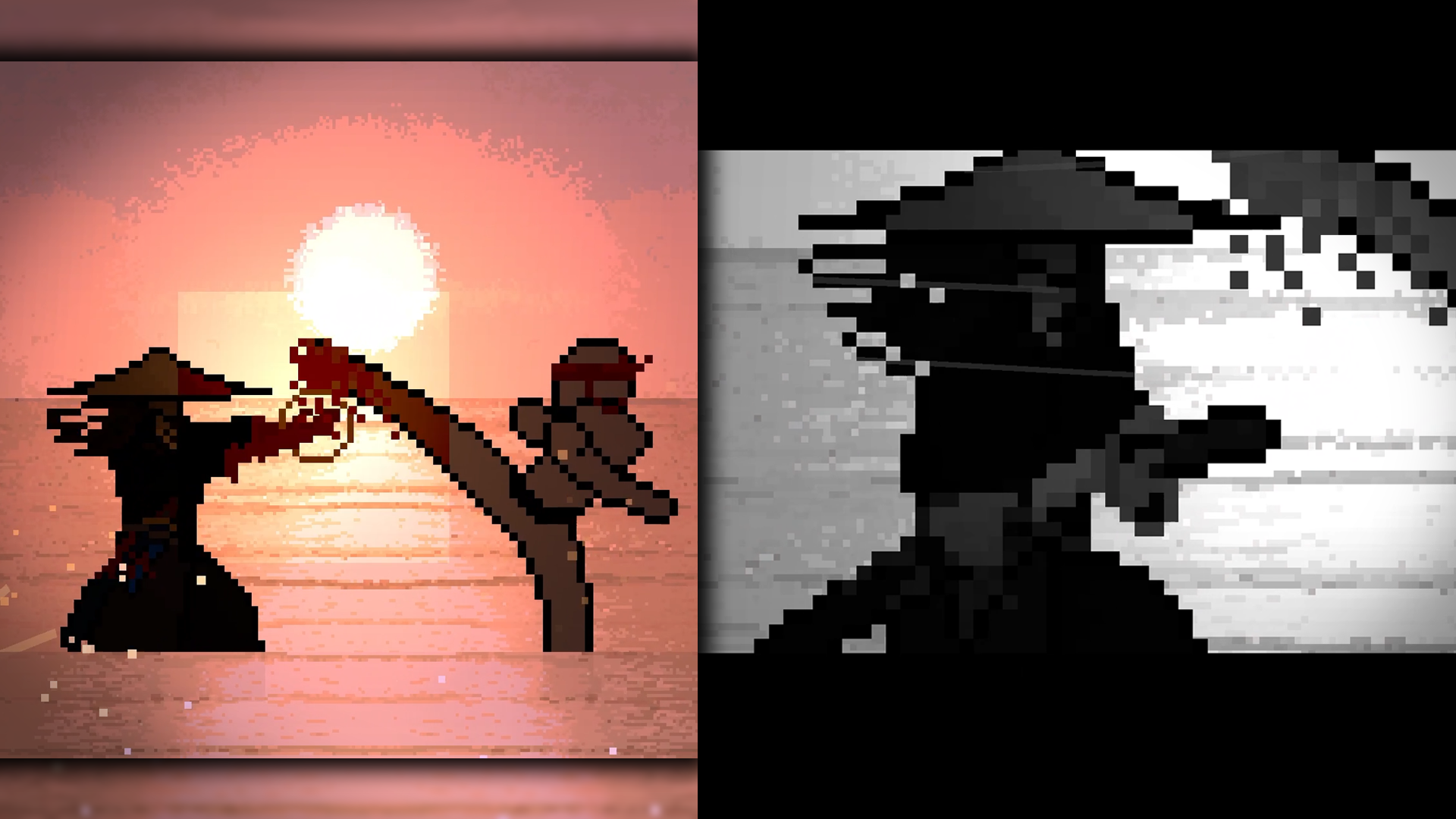
That’s exactly what I worked on the next day. Starting with Guy’s screen, it is based on Ryu’s arcade ending from Street Fighter 2. I love this ending screen – it gives nostalgia for a game I only ever played on a school Chromebook, yet resonates with me so much. Next, Musashi’s screen. I “took inspiration” from Yojimbo’s iconic faraway shot. I actually love samurai movies, especially anything Kurosawa, so I couldn’t miss this opportunity. Finally, the fencer’s screen. Honestly, I had no idea what to make. I just drew a fencing strip and a lil epee plugged in at the end. Personally, I think the perspective looks weird, but I’ll come back to it next Spring Break! footage of this is not shown.
Also, the main problem with the Epeeist walk animation was the length of the legs. The legs were just too short, which made the entire sprite look… stupid. Once I finished the walk animation, I adjusted all the other sprites to be 1 pixel taller in the legs. I love manual labor!
I spent the final weekend of Spring Break on debugging the aforementioned glitch in which if you spam the same attack, your character will be frozen at the end of its animation. The video currently playing is what I made to put in forums, showcasing my issue. But, guess what happened! I could never ask for help on r/godot cause AutoMod thought I was a bot, and no matter how much I followed its instructions, I was still seen as a bot.
I could’ve gone to the actual Godot forums, but then I’d need an account and all that… honestly, I was fed up so I implemented my own fix which I feared the entire time: manually checking if the animation is over before you can travel to the same animation.
It’s really not a problem. I just created an array to store the names of every possible attack animation, and when the player inputs a move, it first checks if the character’s current animation is an attack animation. If it is, the player cannot input a move because they haven’t fully traveled to the Neutral state. Really, this is a simple workaround, but I tried to avoid it because then I’d have to update the attack animation array every time I add an attack, which gets messy with 10+ characters and multiple States for each.
A while later, I improved the lunge animation so that it goes farther and has one more frame for some emphasis – now it really looks like the fencer is trying.
I now use a different video of myself as my reference. black outline walk talking bout root motion stuff
2 entire weeks later, I finally had some kind of solution. As in, a band-aid fix.
Also, I finally finished and presented my APSeminar final presentation. it was on AI, so surprising. in a liberal arts class… no one understood My other classes were still horrendous, but at least Seminar was finally in the past. I’ll spare you guys on just how horrible school is, but know that this means the amount of work put into my game per week skyrockets.
I had a lot of trouble with the hitboxes of player 2 copying the hitboxes of player 1. Eventually, I discovered that the problem was duplicating. Each character has many variables local to it, and because they’re local, they reference their original parent. So, when a character is duplicated, the clone tries to reference the local data of the original, but cannot, because they are now two separate entities. If it could, it would override what the clone should be doing. My fix: I preloaded each character and instantiated a new copy of a character if both players chose him. After noticing the hitbox problems for the past month, I was overjoyed to have it workin-show big Guy
The first thing I addressed was the elephant in the room… the huge player 2. laugh track I shrink the characters individually because, when I began working on this for fun months ago, I never planned ahead enough to make a consistent size for all the sprites. So, Guy is way larger than the rest, especially since I drew him in 3x3 instead of 1x1…? Yeah, I don’t really know why I did that. his sprites are exported at 3x the size, but then he is shrunk by 3x in the editor. Just another stupid thing I’ll fix in the future… Since I didn’t feel like resizing the stage, characters, etc. I just added some more code to resize the characters when they are instantiated. Cutting corners never backfires!
May 20th: School is closer and closer to ending. I had to present my game because I said it was my final project for AP Computer Science Applications. Of course I just began working on it purely for this assignment, I don’t have a combined 250 hours in Aseprite and Godot or anything… they’ll never know! everybody knew. Before I show the presentation, here’s the main menu I made in 45 minutes right before-hand because I refused to show the other main menu! show the presentation
I was asked, “Why no audio? Where audio? When audio?” So,
Four days later, I sat down to make some audio. It was a long time coming. talking
After I let the sfx marinate for a day, in came the post-gamedev insanity. I’m just going to sit back and let you witness it yourself.
Sorry to interrupt. Basically, fencing characters will not be able to dash. Instead, the dash button controls footwork, which will be essential for the player to avoid being parried, to bait out attacks, etc. I’ll let the insane guy talk again.
The video I am showing is actually what I uploaded right before this video. Instead of tackling this monster of a devlog with 209 videos to go through, I made a 3 minute slightly satirical guide. If you really care about Root Motion, go watch that. In summary, I created a node that acts as the center of the sprite. When the sprite moves in the canvas, the root does as well. Then, when an animation finishes, the character’s position moves to the position of the root. As the fencer walks, the root moves, and whenever the walk animation loops or ends, the character is told to move to the position of the root. It sounds simple, but there is surprisingly no information online about how to make your own 2D root motion. Honestly, it took me a while to even find out what root motion was. So, I made a guide to make the solution available to others.
June: school is basically over. I am finally free. I can finally work on what I want to work on! . Such as expanding Guy’s sprite sheet and changing the frames in every single animation! Another month, another hour of manual labor to fix a problem I never bothered to fix before. Also, I created a cool toe-lunge for the Epeeist which, if you were listening earlier, is only applicable to Epeeists. Only in epee is the lower-body also target. This lunge is somewhat slower and has less reach, but can duck under high attacks.
I’m planning on creating two different types of parrying for this game. One day, you’ll have to do a low parry against low-hitting attacks so that you can’t just spam the parry button and nullify all damage. just like SF3
Since school is over, I can finally be more productive than ever before, fulfilling my goals from Spring Break.
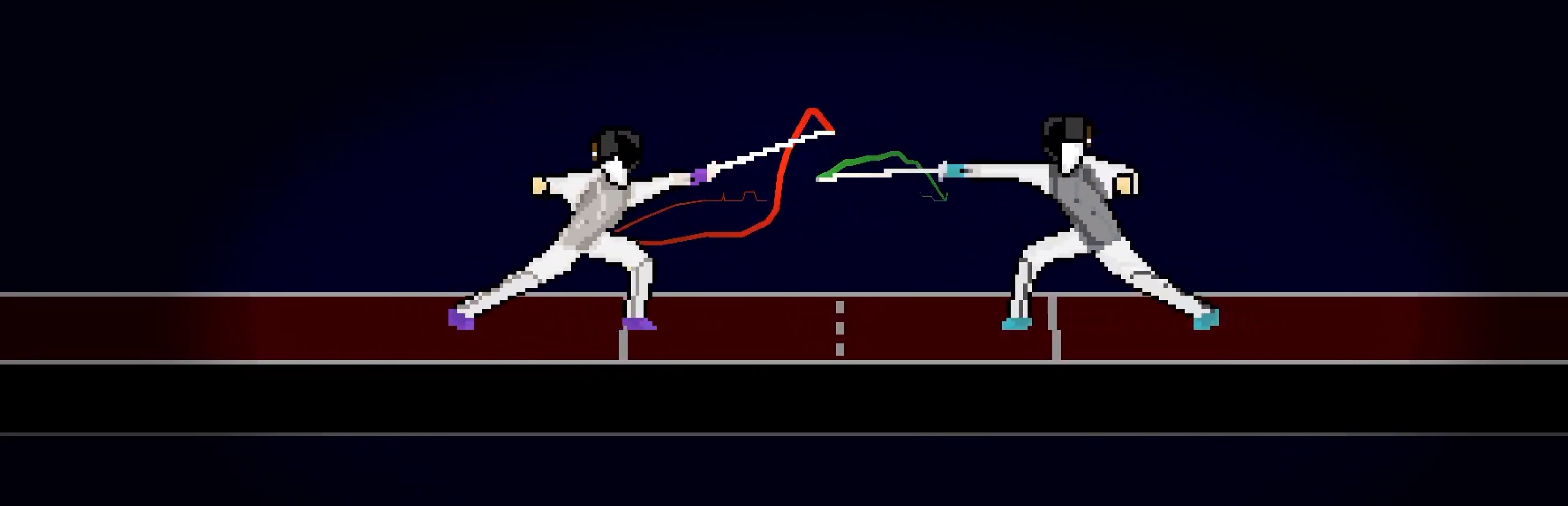
It was time for a new stage! This is a fencing strip, obviously, with the lights changing depending on where the players are at. Also, it lights up depending on whoever scored, and the scoreboard is in the middle instead of at the top. Then, I made some jab attacks for the fencer. Really, these are different lines the blade can be in. You can point the blade down, forward, etc.
Out of boredom, I designed a future character in a competition against my friend. Uhh, comment who won yall better not say him i swear and what this character is from. I doubt 99% of you have even heard of it.
Remember how Guy has a fleche? Well, I made one for the fencer, too, cause, yknow, it originates from fencing. When you close the distance enough, you can make a desperate attempt to quickly hit the opponent. slip Sometimes too desperate. Typically, you keep running so that you can either collide with your opponent or go past them, preventing you from getting punished for it. ref going halt at both
Like with Guy, you have to input the dash first, and from there you can go flying. But, if you fleche after you finish taking a step forward, you go farther and continue running so that you can go past the opponent. This not only makes the dash footwork scarier, but discourages the player from instantly fleching. After all, you wouldn’t want to get parried- SA3
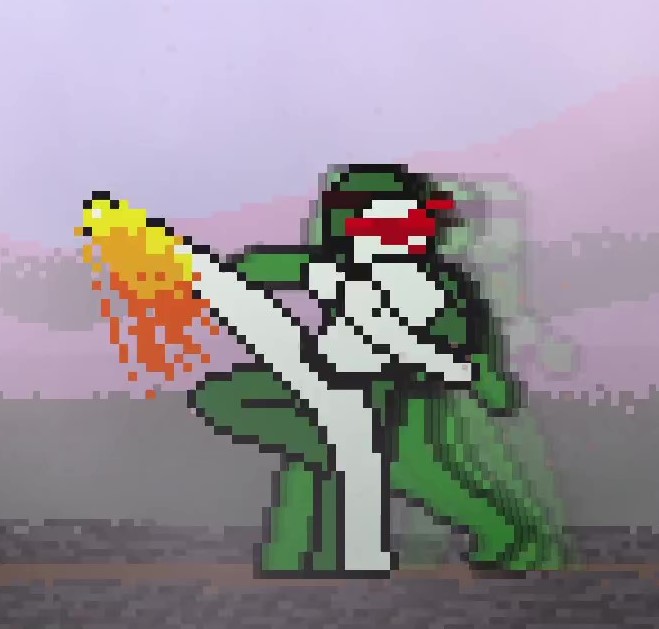
I truly cooked here. Nothing else can be said. Well, I could explain what this is. This is the first super attack for Guy. It is based on Ken’s Super Art 3 from Street Fighter 3: the Shippu Jinraikyaku. evomoment37 OHHHH I spent the time drawing all 87 frames–yes, 87, that many–for two reasons:
Then, I took 2 entire hours to draw fire effects on top. Yep, just the animation before wasn’t enough for me. I believe the hard work paid off.
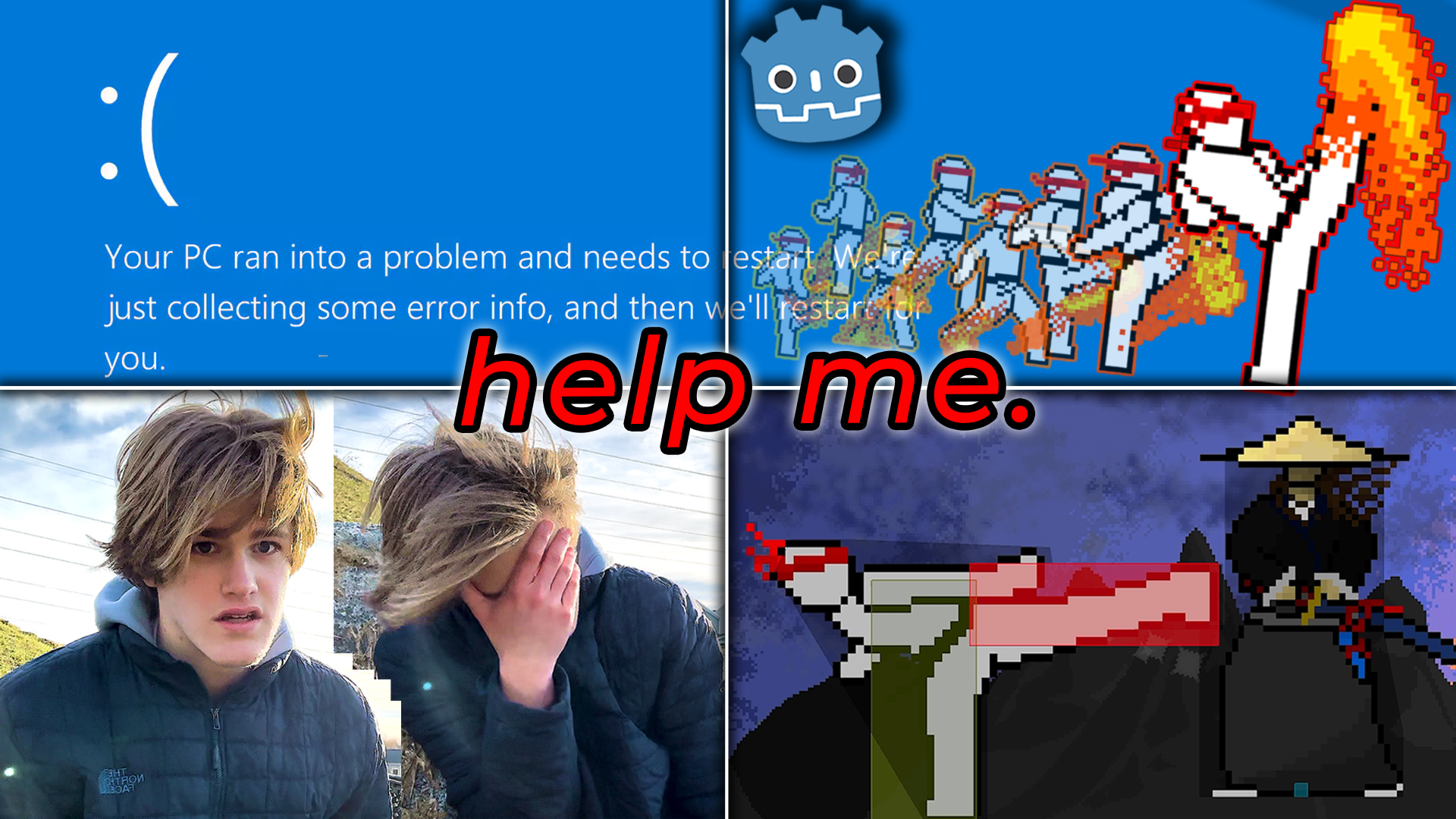
Of course, it all came crashing down. It was extremely stressful as my search bar, settings, nor Powershell worked. After 2 hours of trying fixes in vain, I had to admit that my Windows OS was just broken. It was missing some obscure files and, the worst part, not even 2010 Reddit comments from the 2nd page of Google could save me. I was left with a choice: accept that I can’t use basic Windows functions, or risk losing my progress and recordings by Refreshing my pc.
My games? My settings? My programs I spent years collecting and honing to optimize my pc and its usage? I don’t care. All I care about is my videos. If they disappear, this video could not come out, and how could I ever try on anything ever again? let’s be honest, I’d just make another video And, most importantly, I have videos from all the way back to 2018 on this SSD.
But, without basic Windows functions, I can’t do much. I can’t let the past stop me from moving forward and finishing this game. cut to black
My C drive fell a couple hundred gigabytes.
But, it still had 400gb, so I knew my videos were safe. it’s time to put them on a separate drive bro
After 2 hours of my pc stuck on a blue screen, I felt like a new man when I saw an empty desktop. No more games – not even Steam survived. And, honestly, I never want to go back. All I care about anymore is my game. The tournament will be soon.
I refused to be done with the fencer until his blade lines did something. I did not want his line attacks to just be jabs, but to be vital to his moveset. Every fencer is unique and experiments with different lines, which needs to be reflected in my game if I’m going to claim it’s inspired by fencing. So, once you enter different lines, you can stay in that line as move around. Extended your blade? Cool, want to keep it extended as you retreat? You absolutely can. I planned to do this for the other lines as well, as you’ll see soon.
I used setters and getters to change the LineState, which then referred to the state machine. This was to make custom states accessible for all characters moving forward. For example, when Musashi eventually has multiple stances he can be in, he will need to use the same CustomState variable that the fencer uses. So, in the code local to each character, setget is used to refer to this CustomState variable without having to manually type it out countless times. There, I talked about code enough for this to be considered a devlog. Let’s get back to what else I made. show WF6 & WB6 shows map select
Despite this update finally nearing completion, I kept adding random stuff I thought would be cool. Look at what happens when you select Musashi. talk about walk anims
Before I move back onto the topic of blade lines, here’s two more that I made. You can do this weird bendy move to avoid getting hit by leaning back and removing the arm hurtbox. You can retract your blade entirely to avoid getting parried. Now to animate separate animations for the latter and for the big extend…
I had to sit down and work the line animations for 2 days straight. If school was still in session, this would’ve taken me a month to do.
Also, for some nice additions, I made another stage and a hurt animation for Guy – once again inspired by Footsies!
This was the endgame. All I had dreamed of for this update, for this devlog, was finally a reality. The next day, the 22nd of June, I would go to a fencing tournament, my first in 4 months. The plan was to host my own tournament for my game after I went to the fencing tournament. It would be super fun and would finally reap the rewards of the past half-year. So, I messaged all the friends I could trust to be in a video.
For this, I needed some finishing touches. What you see is me animating a squat attack, which is a fun way to land a counterattack, especially against an opponent fleching. As people do high attacks, the Epeeist can avoid it. Sadly, the sprite looks stupid, but whatever! I had tournaments to look forward to. around 4 min of big video has squat reference
Before we begin both tournaments, I have to describe one more thing: motion inputs. In fighting games, these are how you do all the cool moves like hadoukens and shoryukens. show fightstick on camera All you have to do is move the joystick in a specific way then immediately press a corresponding button. But, I haven’t used this thing in over a year. You can do motion inputs on a keyboard, controller, guitar, steering wheel, DJ turntable, even a recorder! Because, in the end, motion inputs are just directions transcribed into numbers. quarter circle forward becomes 236
This is called numpad notation. Assuming the player is facing right: 4 is backwards, 6 is forwards, 2 is down, 8 is up, and then everything in-between. Using this, I added motion inputs to my own game by converting directional inputs into numbers then storing them in a list. If a known motion input exists in the list, for example the last three numbers are 2, 3, and 6, then the player is tagged with that motion input. literal tag saying “Last Motion Input: 236 After a fourth of a second, that motion input disappears because the window for inputting a special attack is over.
With this new system, the previous squat attack and Guy’s super attack require a bit effort to use. also show the 236 Guy kick and 236 dash (emphasis that it was added afterwards for the tutorial
With all that covered, we can move on.
The day finally came and went. I finished my second ever fencing tournament. huh? Yep, my second ever tournament. I know. I’m a fraud. Infact, that one earlier in the video? Yeah, that was my first ever fencing tournament. That’s why I barely had anything to show off… This entire time, I’ve acted so high and mighty as if I was some kind of fencing professional, but no. I have only fenced for a year and a month. Most people my age began when they were 7. Not me. Yet, I’m fighting to get to the same level.
For a day, I took a break. I couldn’t sleep that night in anticipation of the final day.
This is it. Restless, I made one last stage.
Out of 14 people, 8 agreed to join. But, out of those 8, 4 bailed last second.
“Sorry I cooked myself dinner and completely forgot, although the tourney was from 7pm until 10pm”
“Oh I’m going out to eat suddenly – at 7:30 pm”
“Man my eye hurts sorry man”
“I would’ve been there but I was grounded, sorry man.” this one was actually true
You see why this is a solo project, not a team effort, right?
But why focus on them? Let’s begin the tournament.
In reality, the tournament only lasted maybe 20 minutes, then it devolved into an hour of causal fighting then an hour of messing around.
That’s all for this update. Next video, I’ll revamp parrying, finally flesh out Musashi, improve the Right of Way mechanic, make music, and probably begin on a fourth character. I want the cast to be large, full of personality, and able to represent many playstyles. So, if you’re interested in watching the best video game of all time grow and develop, stick around a bit.
If you’re very interested, like way too interested in my game, maybe you see the vision like I do that this game will win GOTY 2024 and 2025 then maybe check out the Patreon linked in the description. I don’t like doing this begging stuff, but it’s what funds the game. You might be able to tell, but I’m not exactly old enough to have a well-paying job to support this game. Want cool background music? I do too, but I can’t afford paying someone on my own, unless this channel blows up. If you want early access to playtesting and to see updates on the game as they happen–instead of waiting for new videos–you know where to go.
Otherwise, thanks for watching.
Behind-the-scenes, including the script
Behind-the-scenes, including the script
Behind-the-scenes, including the script